Stop translating your “What's New” by hand and pasting it into one locale at a time. Paste it once — every language on your App Store Connect version gets translated and filled.
Free · No API key · No account · Works with your existing App Store Connect login
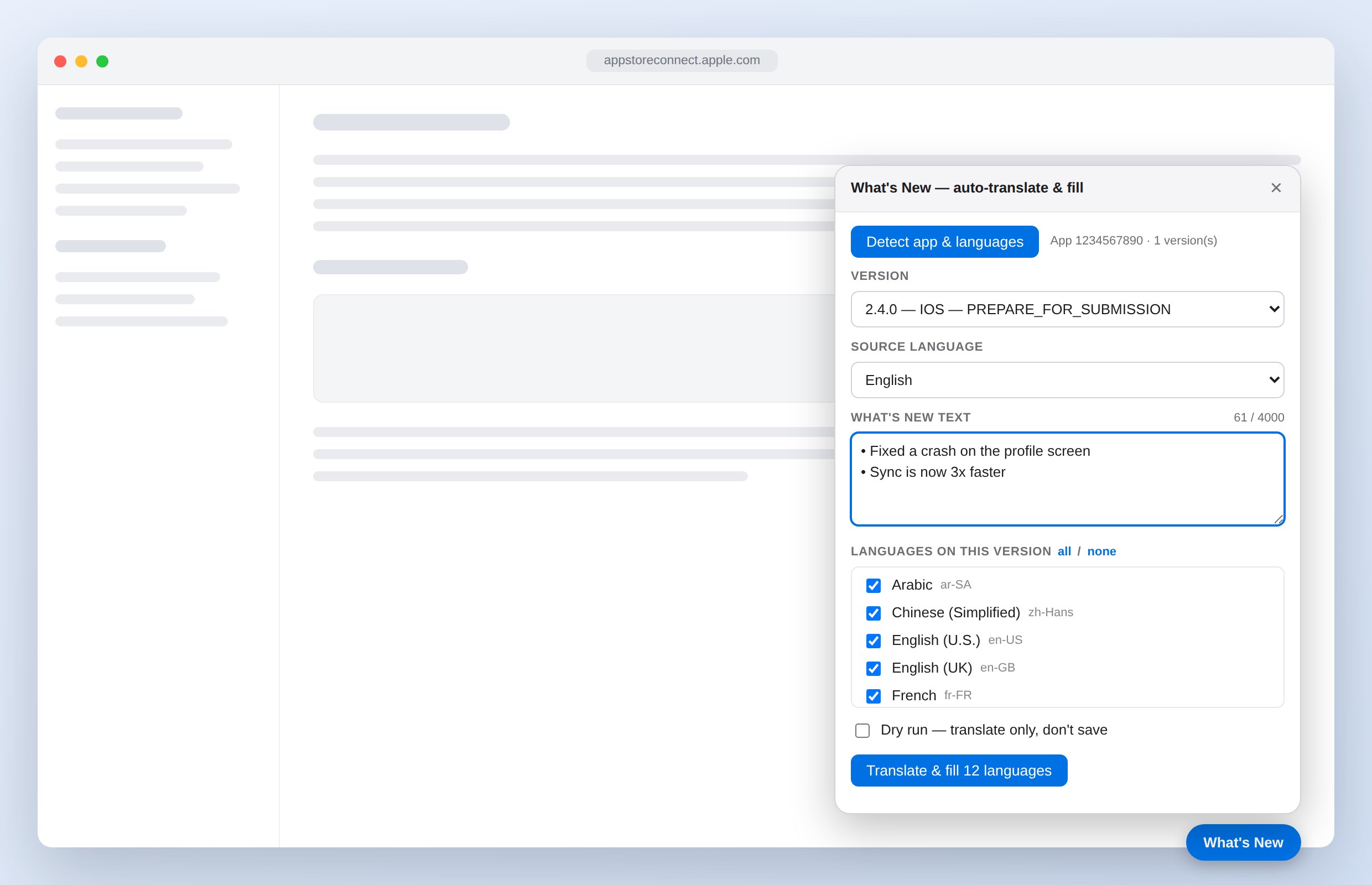
No setup, no keys, no configuration file. Install it and it's ready.
Open your app's version page and click Detect app & languages. It finds the editable version and reads the languages it already has.
Drop your release notes in, in whatever language you write them. Untick any locale you'd rather handle yourself.
Click once. Every selected language is translated and saved, with a per-language log so you know exactly what happened.
Five locales or thirty-five — it lists exactly what that version has, and never adds languages you didn't configure yourself.
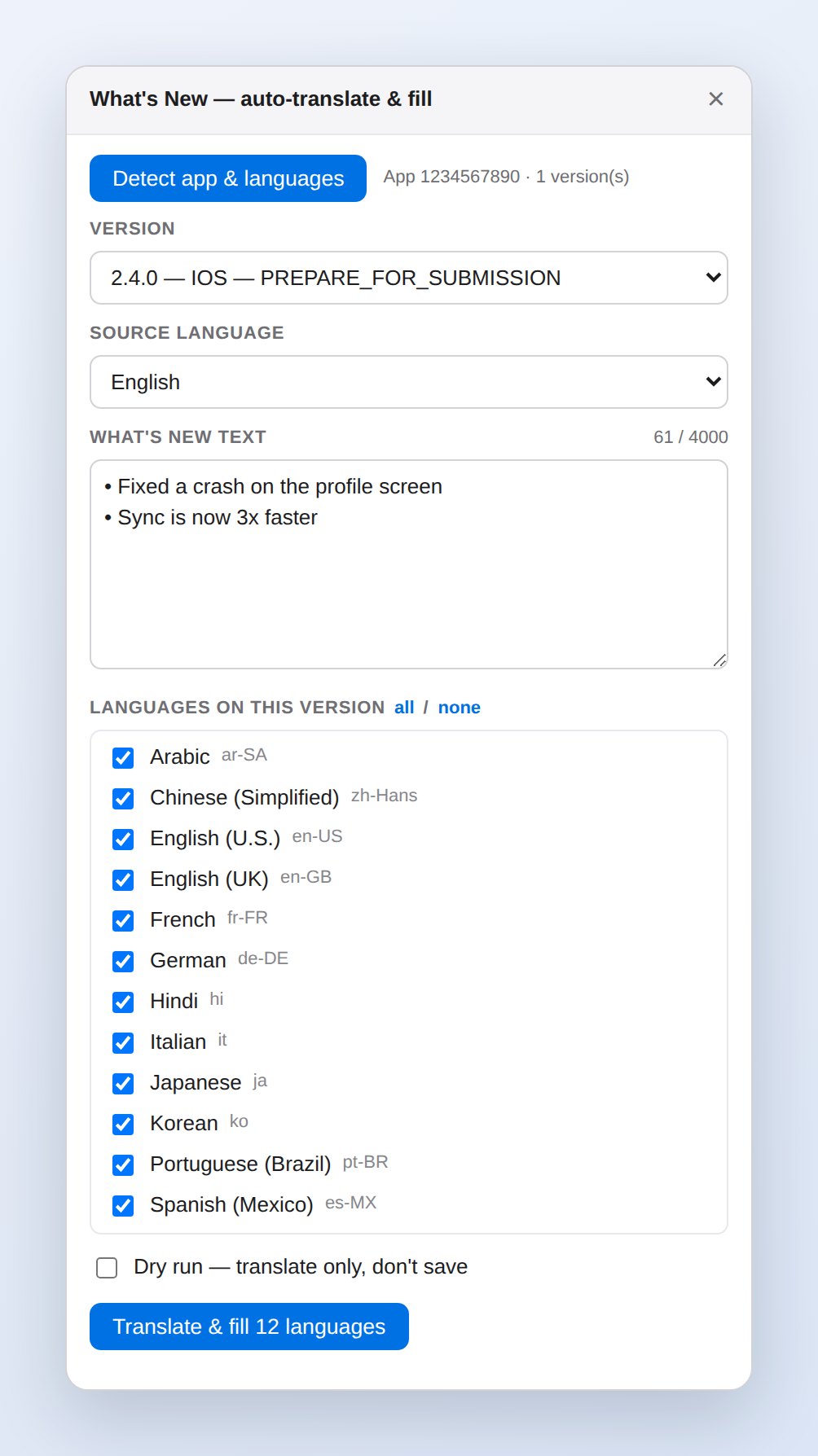
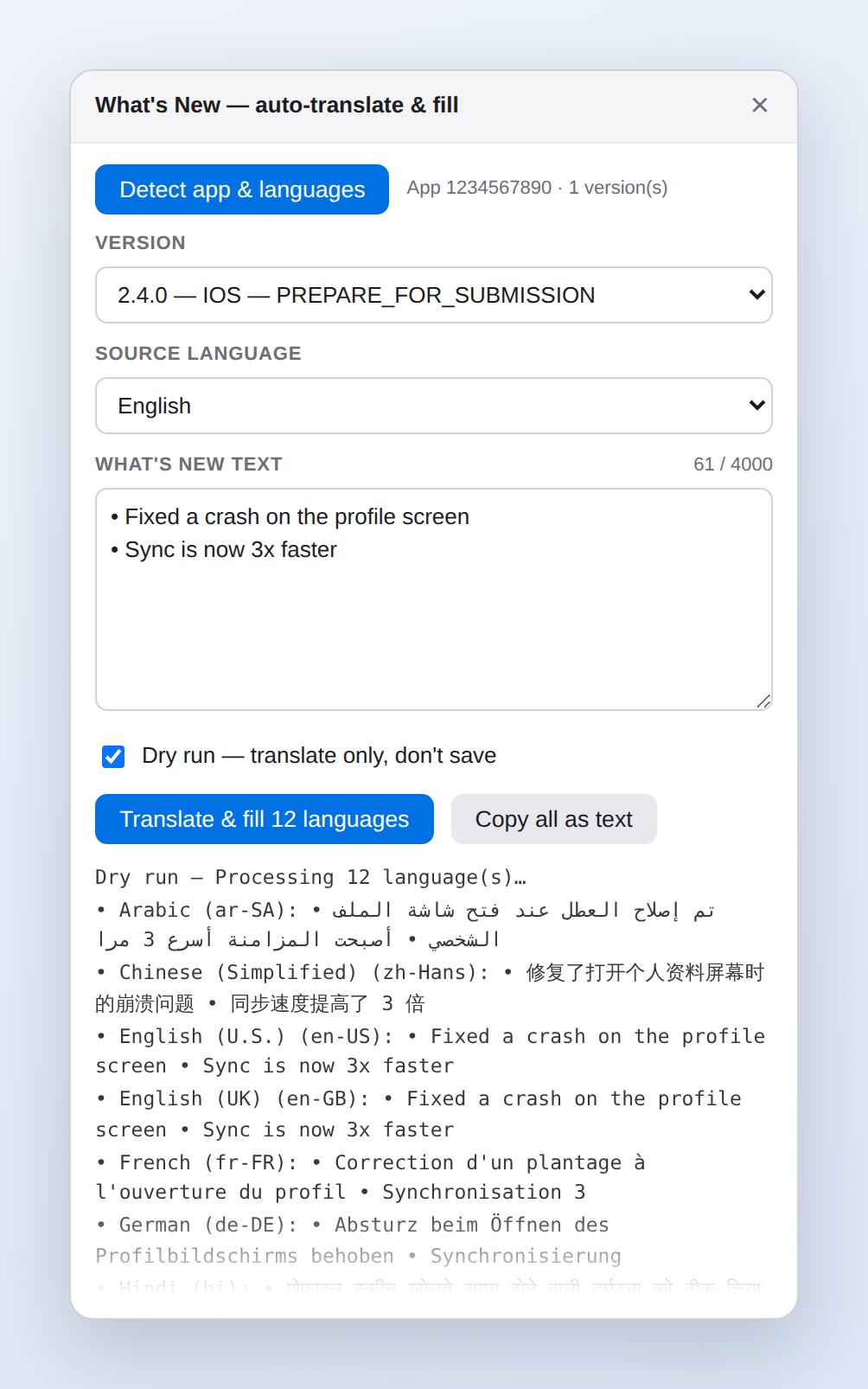
Tick Dry run and it translates without writing a single character. Read it all, then run it for real.
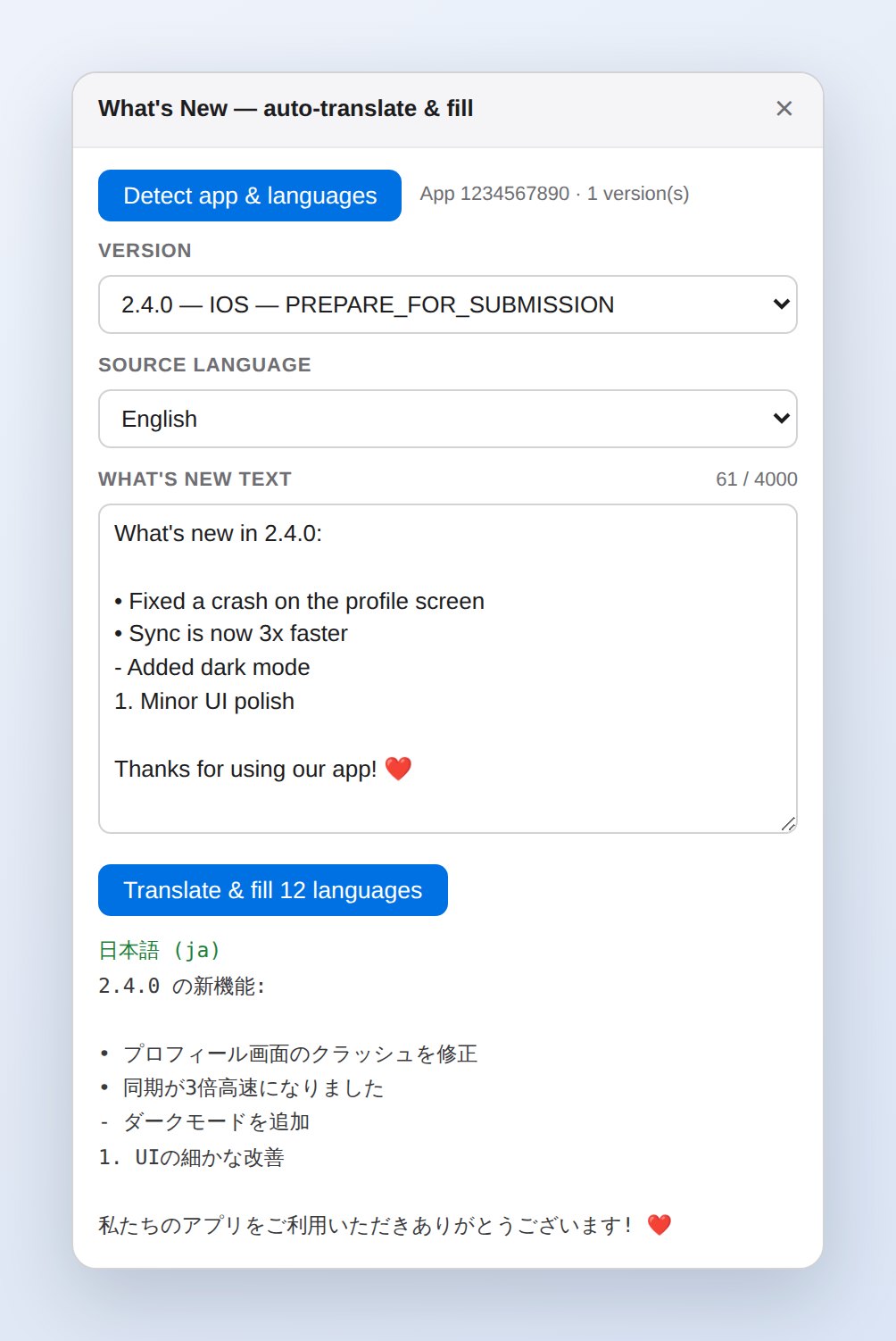
Bullet markers, blank lines and emoji are lifted out before translating and put back afterwards — so the layout you typed is the layout Apple gets.
Small tool, carefully built.
No Issuer ID, no Key ID, no .p8 file. It works through the App Store Connect session you're already signed into.
If a locale matches your source language — en-GB, en-AU — your original text is used verbatim.
Catches translations over Apple's 4,000-character cap before the save, not after it fails.
If Apple rejects a save, you get the status code and Apple's own message — not a generic failure.
“Copy all as text” exports every translation with its locale header, so you always have a way out.
Follows your system appearance, like the rest of your tools.
There is no server and no account. The text you type goes to Google Translate to be translated, and to App Store Connect to be saved. That's the entire list.
It never reads or stores your Apple ID, password or session cookies. It runs on appstoreconnect.apple.com and nowhere else. No analytics, no tracking, no telemetry. Your last-used text is remembered locally on your own machine and is never transmitted.
No. It uses the App Store Connect session already open in your browser — the same way the App Store Connect website itself works. It never sees, stores or transmits your password or session cookies.
Never. It reads the localizations that already exist on the version you select and fills only those. If your app has five languages, it fills five.
No. It writes to the What's New field and nothing else, on the one version you pick.
They come from Google Translate. For typical release notes — “fixed a crash, sync is faster” — the quality is solid. For marketing copy in a key market, have a native speaker review it. Use Dry run to read everything before it's saved.
The log shows which language failed and why, including Apple's own error message. Everything else still saves. Re-running is safe — it simply overwrites with the same text.
All App Store metadata locales, including Arabic, Chinese (Simplified and Traditional), Hindi, Japanese, Korean, Thai, Vietnamese and the full set of European languages.
It takes about ten seconds to install and saves you the same twenty minutes on every single release.
Add to Chrome What's New Auto-Translate